Clock. Journal. RareTap.

Track the hours. Keep the story.

RareTap is a private time clock and journal for iPhone. Start anything with one tap, see where the day went, and keep the story beside the hours.

No account Private iCloud sync Data Not Collected

Tracking now

Gym
2:00:46 Tap to stop

Today total

6h 12m tracked

History

Weekly goal

Calendar

Stays on your devices

Two halves of your day, in one place.

Time tells you what happened. A journal tells you what it meant. RareTap keeps both records together.

The time clock

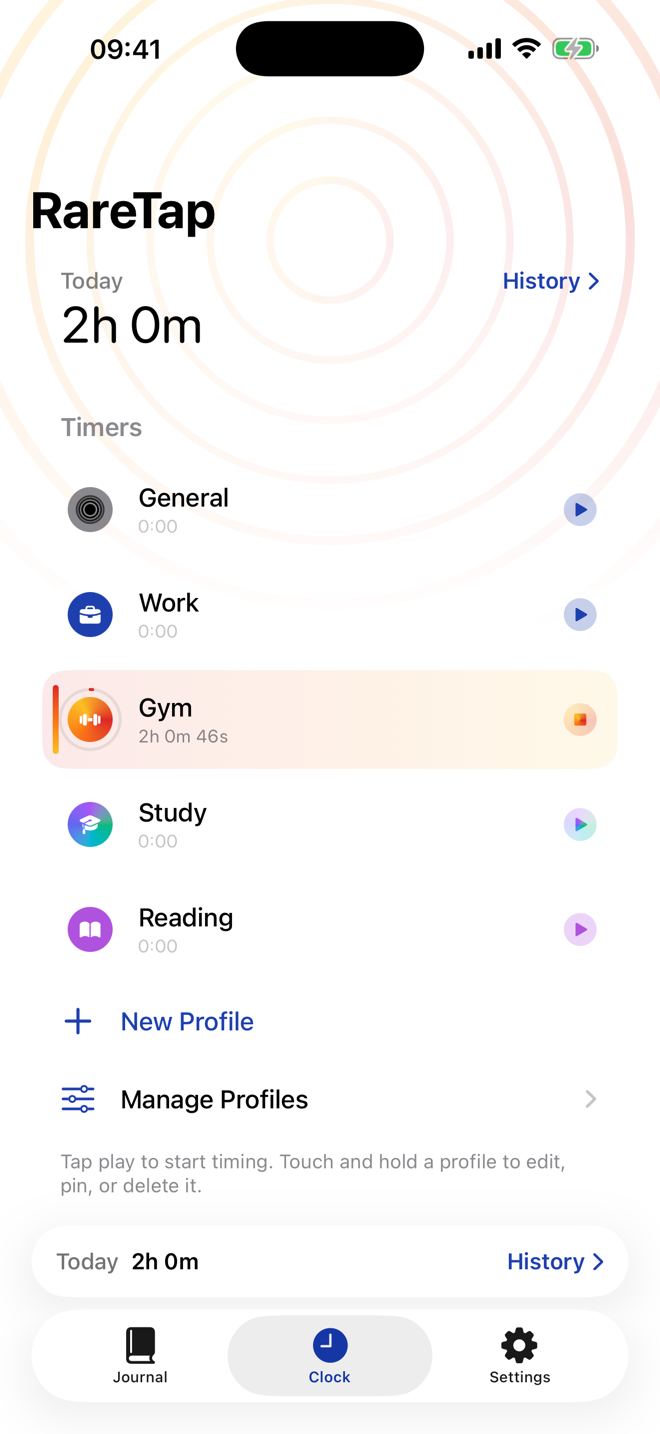
Tap to start any activity, tap to stop. One clean record of where your time actually goes.

The journal

Add what the clock can’t capture, right beside the hours it can.

Track

Start anything in one tap.

Work, study, training, reading — whatever deserves a clock. Tap once, or let geofences, Siri, and Shortcuts start the routine; widgets and Live Activity keep it within reach.

RareTap Clock screen showing activity timers and a weekly goal.
GeofenceStart when you arrive Siri & ShortcutsStart with your voice Widgets + Live ActivityGlance and control

Reflect

Put the why
with the when.

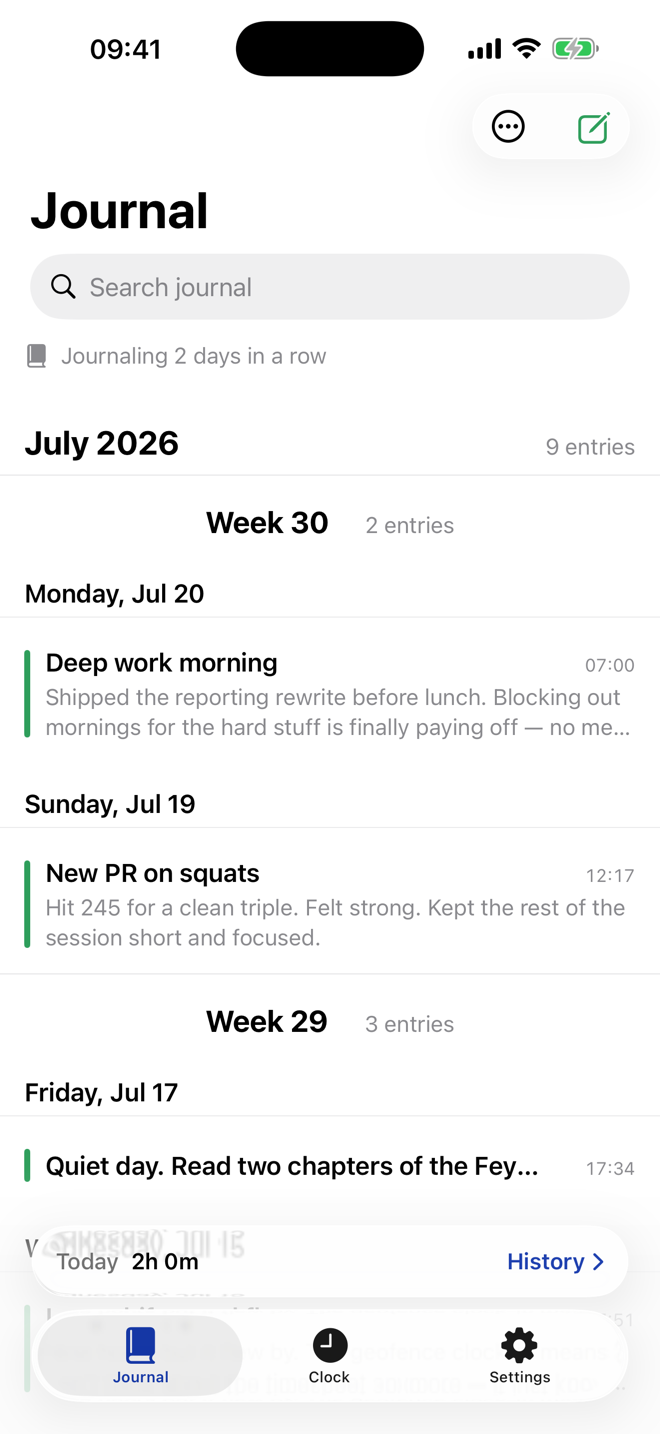
Write about the same day you tracked. The Markdown journal is grouped by day and week, with search and filters when you need to find a detail again.

RareTap Journal screen with notes grouped by day.

Understand

See the shape of your time.

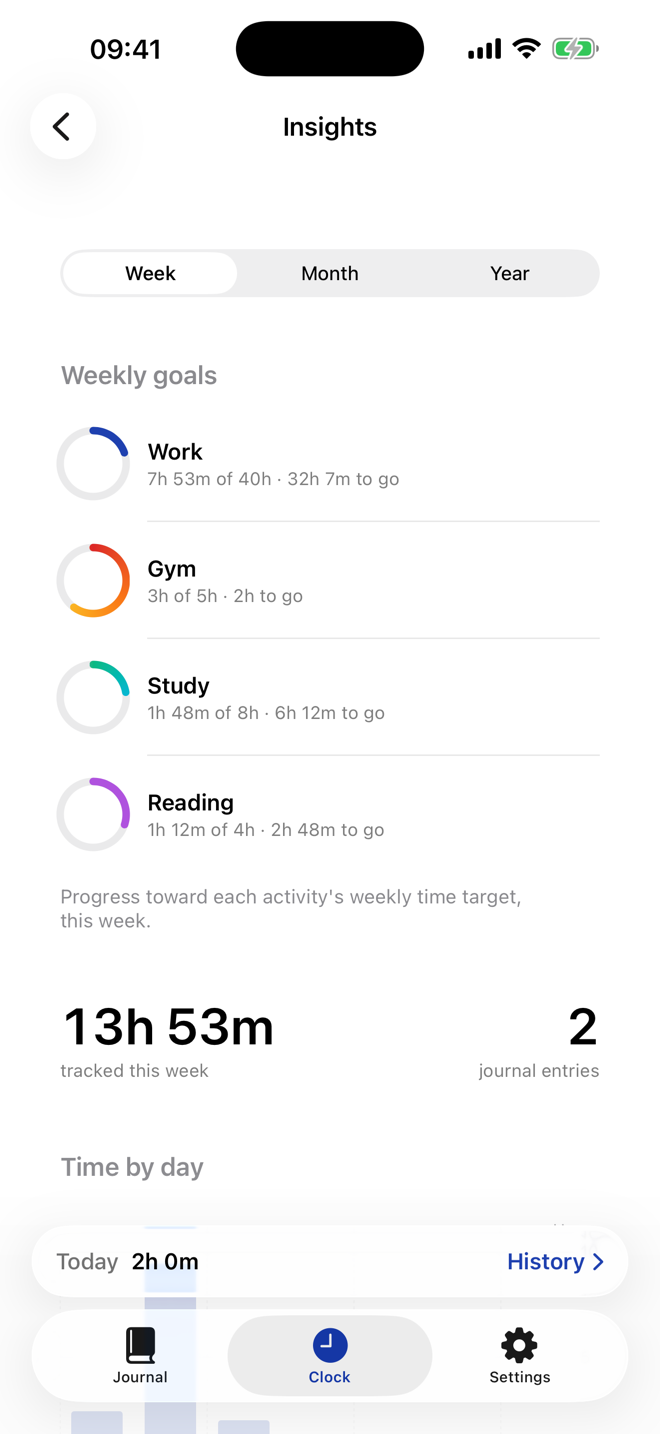
Zoom out from a single session to days, weeks, and months — with history, calendars, goals, totals, streaks, and trends showing how your time adds up.

RareTap Insights screen showing activity totals and trends.

Calendar

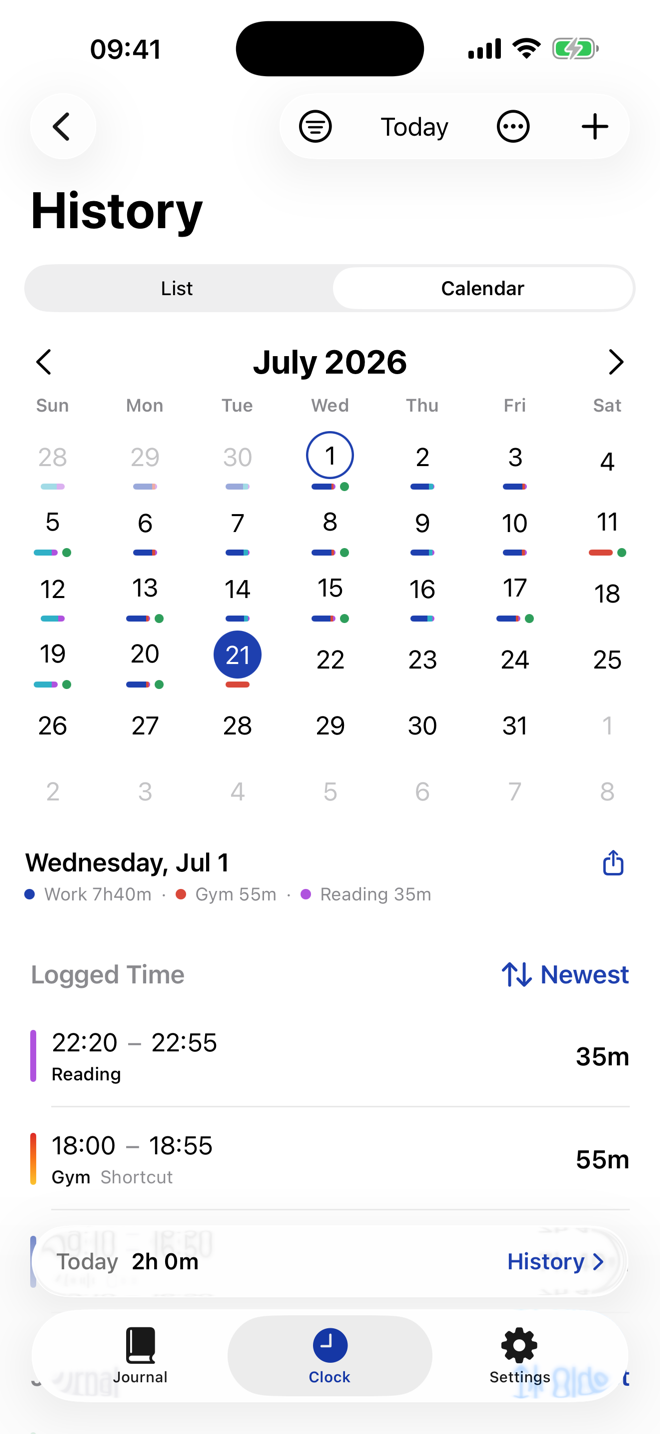
See a month of recorded days at a glance.

RareTap Calendar screen showing a month of activity.

A record you can actually take with you.

Nothing you track gets trapped in the app. Your time and journal export as clean, portable files — yours to keep, query, move, and build on.

  • Export to an Obsidian vault. Every day of time and journaling as date-keyed Markdown, ready for Dataview.
  • CSV & JSON. Range-selectable raw exports — down to the individual clock-in and clock-out events — for your spreadsheets and scripts.
  • Markdown journaling. Write entries in plain Markdown; the formatting survives the export intact.

Privacy

Your day is not our data.

RareTap's App Store privacy label is Data Not Collected. There is no account, no RareTap server, and no in-app analytics or advertising SDKs. Your time and journal live on your iPhone, sync only through your private iCloud if you turn that on, and export whenever you choose.

No account On-device storage Optional private iCloud sync No in-app analytics or advertising SDKs User-controlled export
Read the full privacy policy

Pricing

Free to start. Yours to keep.

The free app covers the everyday loop. Premium adds more room to track, review, and export your record.

Free

  • Three activity profiles
  • Unlimited time tracking
  • Journal, history, and calendar
  • Weekly summary and streaks
  • One saved geofence place
  • CSV and JSON export

$0Free forever.

Premium

  • Everything in Free, plus:
  • Unlimited activity profiles
  • Insights charts and trends
  • Obsidian/Markdown vault export
  • Multiple saved places
  • Premium colourways

$1.99/monthNo trial

$49.99 lifetimeOne-time purchase

Here from the start? Everyone who had RareTap before Premium launched keeps everything free, forever.

FAQ

Questions, answered plainly.

Is RareTap free?

Yes. Unlimited time tracking, the journal, history, calendar, weekly summary, streaks, one saved place, and CSV/JSON export are free forever. Premium adds the extras listed above.

What does Premium add?

Premium adds unlimited activity profiles, Insights charts and trends, Obsidian/Markdown vault export, multiple saved places, and premium colourways.

Does RareTap require an account?

No. RareTap never requires an account.

Where is my data stored?

On your iPhone. If you turn on iCloud sync, it travels only through your private iCloud.

Does RareTap work without iCloud?

Yes. It works fully offline and locally; iCloud sync is optional.

Can I export my data?

CSV and JSON export are free. Obsidian/Markdown vault export is included with Premium.

Can RareTap clock me in automatically?

Geofences and Siri/Shortcuts can start tracking. Free includes one saved place; Premium includes multiple. Widgets and Live Activity let you glance at and control tracking.

Can I run more than one timer?

Yes. Multiple timers can run at once.

Is RareTap available for Android, iPad, or Mac?

RareTap is for iPhone.

What happens if I cancel Premium?

Your data stays. Premium features return to the free limits, and tracking continues.

What does “Founder” mean?

People who had RareTap before Premium launched keep all features free forever.

How do I contact support?

Use the support link on RareTap’s App Store listing.

Your next hour
starts with one tap.

Free on the App Store.
No account required.